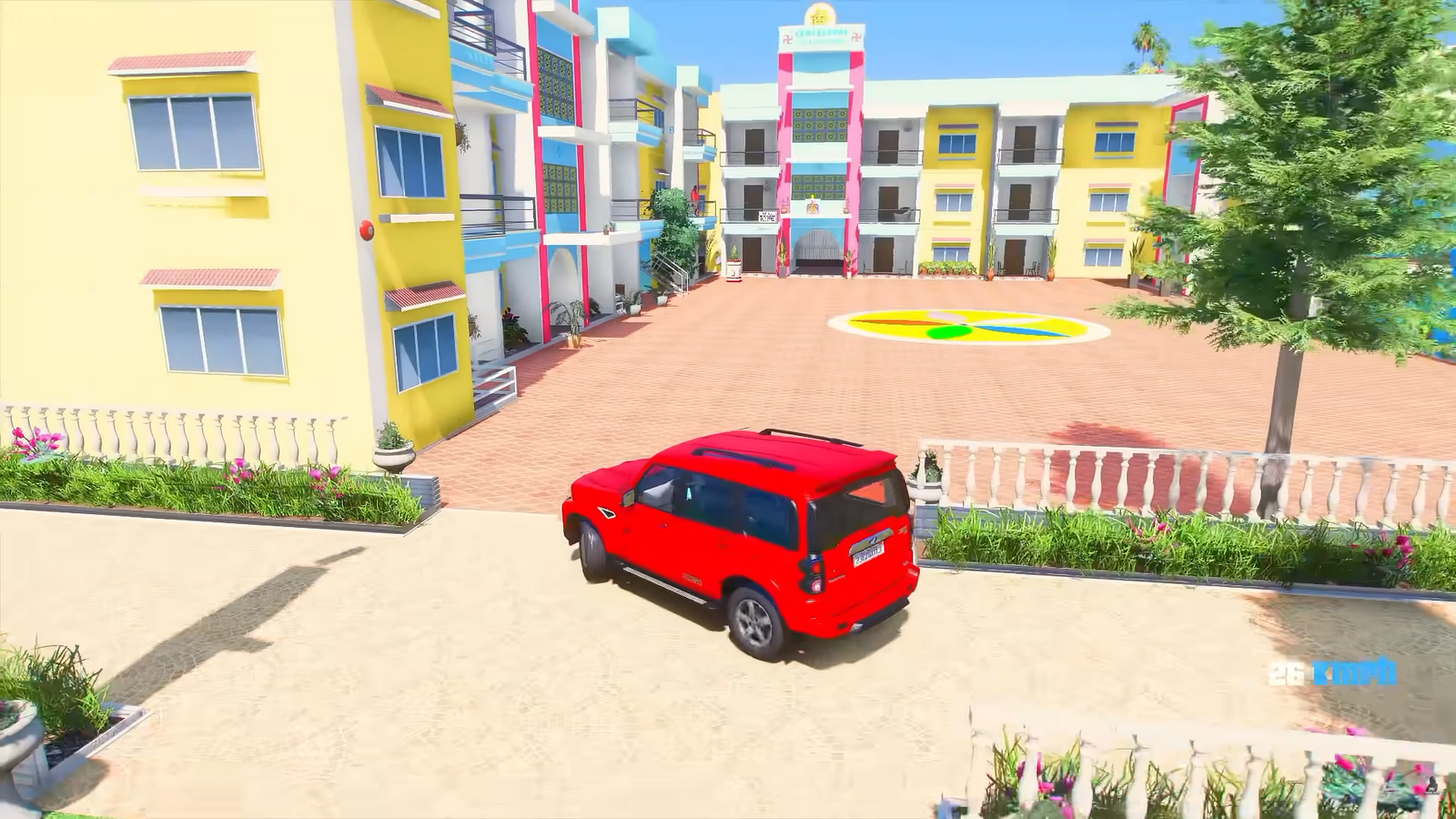
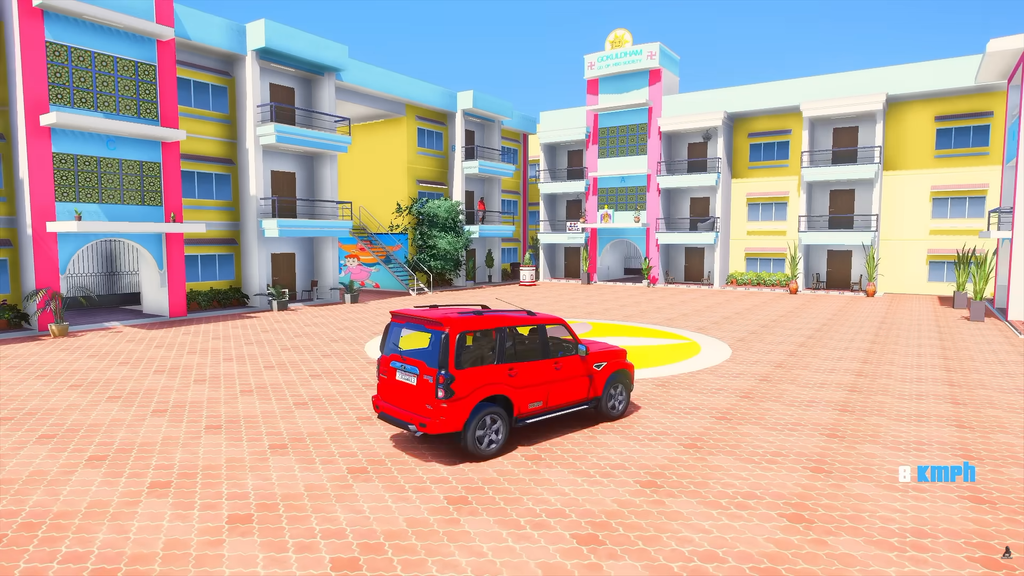
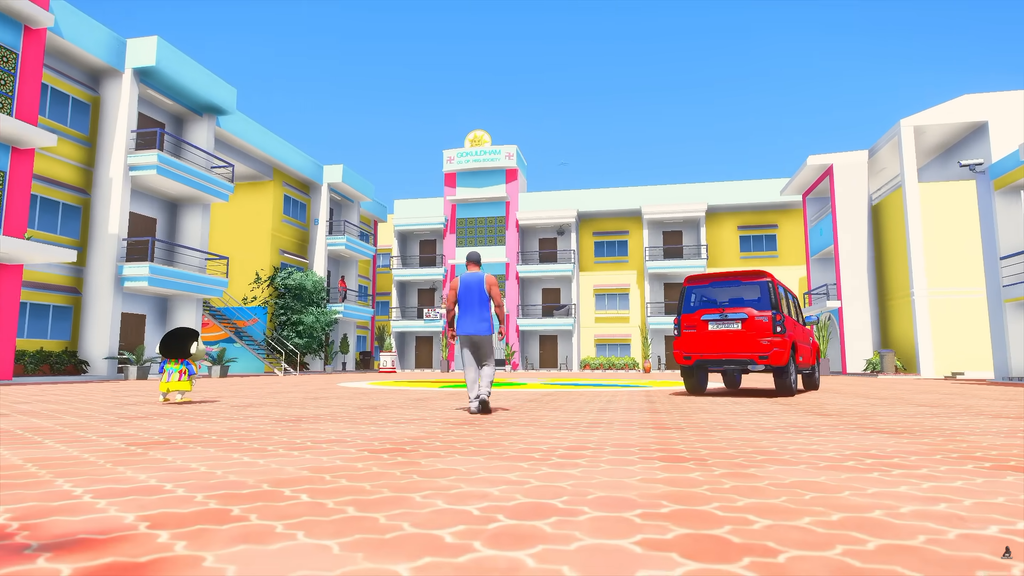
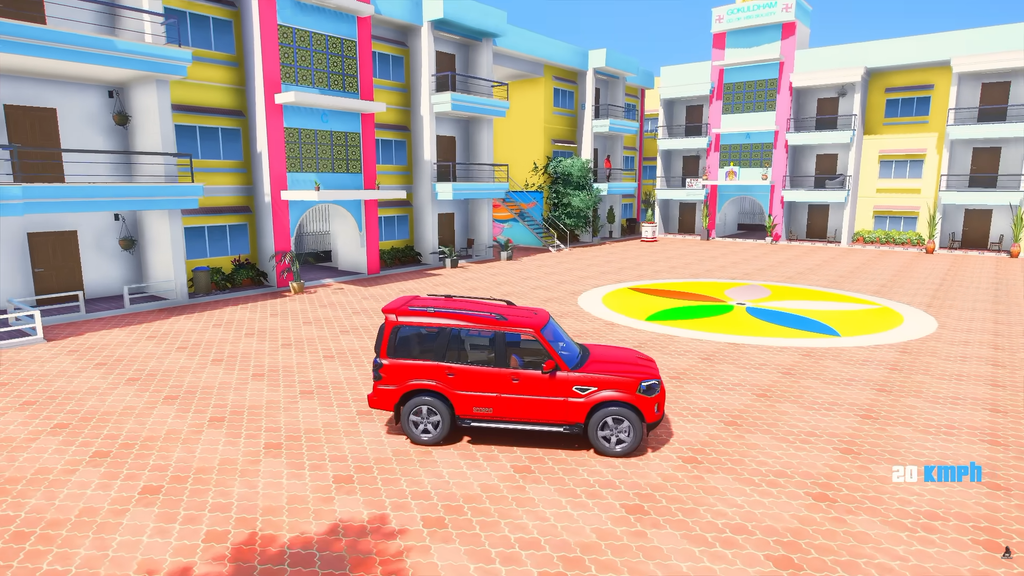
If you are a fan of Taarak Mehta Ka Ooltah Chashmah and also enjoy playing Grand Theft Auto V, the GTA 5 Jethalal Mod offers a fun way to bring one of India’s most recognizable fictional characters into the world of Los Santos.
Instead of playing only with GTA 5’s original protagonists, a Jethalal character mod can let you use a custom Jethalal model as a playable character or ped. The concept is particularly entertaining because it combines the familiar Indian sitcom character with GTA 5’s open-world environment.
This article provides a detailed look at the GTA 5 Jethalal Mod, including what it is, how it works, its features, installation requirements, gameplay experience, advantages and disadvantages, compatibility considerations, and an honest overall review.
Important: The Jethalal modification discussed here is a fan-made GTA 5 modification. It is not presented as an official Rockstar Games or Taarak Mehta Ka Ooltah Chashmah product. Availability, compatibility, and installation requirements can vary depending on the specific version of the mod.
What Is the GTA 5 Jethalal Mod?
The GTA 5 Jethalal Mod is a custom character modification that brings the appearance of Jethalal Champaklal Gada into GTA V.
In many versions, the character is provided as an add-on ped, meaning the custom model can be added to GTA V without simply replacing one of the game’s three main protagonists.
One currently listed Jethalal GTA 5 mod is specifically described as a TMKOC Jethalal Addon Ped. Its published installation instructions use the AddonPeds system and identify the model as jetha.
This type of mod is mainly interesting for players who enjoy:
- GTA 5 character modifications
- Indian GTA 5 mods
- TMKOC-related fan creations
- Funny GTA 5 gameplay
- Custom character videos
- Story-mode roleplay
- GTA 5 machinima and YouTube content
The appeal is simple: instead of seeing Jethalal only in his usual television setting, you can place a familiar character inside the chaotic open world of Los Santos.
Why Is the Jethalal Mod Popular With GTA 5 Players?
GTA 5 has one of the largest modding communities in gaming, and custom pedestrian or character models are a major part of that community.
A custom ped system allows creators to introduce characters from movies, television shows, games, comics, anime, and other fictional universes into GTA V.
The AddonPeds approach is designed specifically around managing custom pedestrian models. Its documentation describes features such as custom ped importing, local ped management, and support for story-mode customization.
The Jethalal concept adds another layer of entertainment because of the contrast between his familiar personality and GTA’s action-oriented environment.
Imagine Jethalal:
- Driving around Los Santos
- Walking through busy streets
- Interacting with NPCs
- Participating in funny missions
- Exploring the city
- Riding motorcycles and cars
- Getting involved in GTA-style chaos
- Appearing alongside other custom Indian characters
That contrast is what makes the mod particularly suitable for humorous gameplay videos.
GTA 5 Jethalal Mod Features
The exact features depend on the version and creator of the Jethalal model. A character model should therefore not automatically be assumed to include special powers, custom missions, unique dialogue, or new animations.
However, the core purpose of the available Jethalal add-on is to introduce the Jethalal character model into GTA 5 through an add-on ped system. The listed version uses the model name jetha and is configured through AddonPeds.
1. Jethalal Character Model
The main attraction is, of course, the Jethalal appearance.
A properly created character model can make GTA 5 gameplay feel completely different because the player is no longer seeing a standard GTA protagonist.
For fans of TMKOC, simply seeing Jethalal walking around Los Santos can be entertaining.
2. Add-On Ped System
The mod is listed as an add-on ped rather than a simple replacement.
This is useful because add-on characters can coexist with the game’s existing character models instead of permanently replacing an original character.
The general AddonPeds workflow involves adding the custom model, registering it in the ped manager, rebuilding the ped database, and then spawning the character in GTA V.
3. Custom Character Spawning
Once correctly installed and registered, a custom ped can be spawned using a compatible trainer or ped-selection system.
For the specific Jethalal listing examined for this article, the published instructions say to register the model under the name jetha and then spawn it in-game using that name.
4. Great for Funny Gameplay
The mod’s biggest strength is arguably entertainment rather than gameplay mechanics.
GTA V already provides an enormous open world. Adding a recognizable Indian television character creates plenty of opportunities for humorous scenarios.
For content creators, this can be particularly useful for:
- Comedy videos
- Character challenges
- GTA 5 shorts
- Story-based videos
- Indian GTA 5 gameplay
- Fan-made TMKOC scenarios
- Custom roleplay
GTA 5 Jethalal Mod Gameplay Review
Character Appearance
The first thing most players will notice is the character model itself.
The quality of a GTA 5 ped depends heavily on the original creator. Some custom characters have excellent facial textures, clothing, proportions, and hair, while others can look less polished.
Therefore, the quality of the Jethalal experience can vary between different releases.
If you are downloading a particular version, check screenshots and creator information before installing it.
Gameplay Experience
The character model itself generally does not transform GTA V’s underlying gameplay.
In other words, installing a Jethalal ped does not automatically turn GTA V into a TMKOC game.
You are still playing GTA V.
The main difference is the character you see while playing.
This is important because some users may expect a complete TMKOC-themed game after seeing a YouTube thumbnail or short video. A character ped and a complete gameplay overhaul are very different things.
A Jethalal ped can change the visual experience, but additional scripts, missions, vehicles, maps, animations, or dialogue would require separate modifications.
Does Jethalal Have Special Powers?
Usually, a basic Jethalal ped should be considered a character model, not a superpower mod.
If a particular download claims that Jethalal has special abilities, custom attacks, unique animations, or other gameplay mechanics, those features need to be verified for that specific release.
This distinction is important for avoiding misleading expectations.
A custom ped generally changes the character model, while scripts can add new gameplay functionality.
How to Install the GTA 5 Jethalal Mod
Installation can vary depending on the specific mod package and the version of GTA V you are using.
The Jethalal listing examined here provides an installation method based on OpenIV and AddonPeds.
Before You Begin
Make a backup of important GTA V files before modifying your installation.
It is also a good idea to use a separate modded setup for single-player modifications rather than experimenting with the original game files.
You may need tools such as:
- GTA V for PC
- OpenIV
- AddonPeds or a compatible ped-management solution
- The Jethalal ped files
- A compatible trainer for spawning the character
The exact requirements should always be checked against the documentation supplied with your particular mod.
Step 1: Install Your Modding Tools
OpenIV is commonly used to manage GTA V’s modded file structure.
AddonPeds is used for managing custom pedestrian models.
Different AddonPeds releases and guides can have slightly different installation procedures, so follow the documentation corresponding to the version you actually installed.
Step 2: Locate the AddonPeds Directory
The Jethalal mod listing examined for this article instructs users to place the relevant files in the AddonPeds ped archive under the GTA V mods directory.
A commonly referenced structure is:
GTAV/mods/update/x64/dlcpacks/addonpeds/dlc.rpf/peds.rpf
The exact path can differ depending on your setup and AddonPeds version.
Step 3: Add the Jethalal Files
Copy the Jethalal model files into the appropriate AddonPeds location.
Custom GTA V character models commonly contain files such as:
.ydd.ytd.yft.ymt
These files serve different purposes within GTA V’s character-model system.
Do not rename files randomly unless the mod’s instructions specifically tell you to do so.
Step 4: Open AddonPeds
Run the AddonPeds editor according to the instructions for your installed version.
The Jethalal mod listing instructs users to create a new ped and enter:
Ped name: jetha
It also specifies the ped type and streaming setting for that particular release before rebuilding the configuration.
Step 5: Rebuild the Ped Database
After adding the character, use the Rebuild option.
This step is important because the custom model needs to be registered before the game can use it through the corresponding ped system.
General AddonPeds documentation similarly describes adding the ped, selecting its properties, and rebuilding the configuration before launching GTA V.
Step 6: Launch GTA V
Start GTA V in the appropriate modded single-player environment.
Then use your compatible trainer or ped selector to load the Jethalal character.
If the particular release uses the model name jetha, enter that name where the trainer or ped system asks for the model name.
Common Problems With GTA 5 Jethalal Mods
Not every installation will work perfectly on the first attempt.
Here are some common issues.
Jethalal Does Not Appear
Possible causes include:
- Incorrect model name
- Incorrect installation path
- Missing model files
- AddonPeds not configured correctly
- Rebuild step skipped
- Incompatible game/mod setup
The first thing to check is whether the model name entered in the ped manager exactly matches the model’s intended name.
GTA 5 Crashes
Crashes can happen when incompatible or incorrectly installed files are used.
Possible causes include:
- Outdated dependencies
- Incorrect files
- Conflicting mods
- Incorrect game configuration
- Corrupted installation
- Too many demanding modifications
If the game starts crashing after installing a particular character, temporarily remove the new mod and test the game again.
Character Has Texture Problems
You may see:
- Missing textures
- Black clothing
- Distorted face
- Invisible body parts
- Incorrect hair
- Model deformation
These problems are generally related to the quality or compatibility of the character files rather than the basic concept of the mod itself.
Is the Jethalal Mod Compatible With GTA Online?
Do not assume that a single-player character mod is safe for GTA Online.
The Jethalal modification discussed here is intended as a custom GTA V character modification, and modding multiplayer environments can create compatibility and account risks.
For a safer approach, keep custom character mods restricted to appropriate offline/single-player environments and follow Rockstar’s current rules for online play.
A community installation guide for custom peds likewise explicitly warns against using such modifications in GTA Online.
Jethalal Mod vs a Normal GTA 5 Character
| Feature | Jethalal Add-On Ped | Normal GTA 5 Character |
|---|---|---|
| Custom appearance | Yes | No |
| TMKOC-inspired appearance | Yes | No |
| Add-on character | Depending on release | Built into game |
| Requires modding | Yes | No |
| Useful for comedy videos | Excellent | Standard |
| Requires external files | Yes | No |
| Official Rockstar character | No | Yes |
| Suitable for single-player experiments | Yes | Yes |
The biggest difference is customization.
The standard GTA V characters were designed as part of Rockstar’s original game. Jethalal is a fan-created addition that changes the visual identity of the character without replacing GTA V’s entire game world.
Advantages of the GTA 5 Jethalal Mod
1. Unique Character Experience
Playing GTA V as a familiar Indian television character can make an otherwise familiar game feel fresh.
2. Excellent for YouTube Content
The concept is naturally suited to entertaining videos.
Creators can combine the character with:
- Indian vehicles
- Indian character mods
- Custom houses
- Funny missions
- Roleplay scenarios
- Other TMKOC-inspired characters
3. Easy Concept to Understand
You do not need to learn an entirely new game.
You are still playing GTA V, but with a custom character.
4. Great for Fans
For TMKOC viewers, the novelty factor is significant.
Seeing Jethalal in Los Santos is enough to create funny situations that would never happen in the original television series.
Disadvantages of the Jethalal Mod
1. It Is Not a Complete TMKOC Game
This is probably the most important limitation.
Installing the character does not automatically add:
- Gokuldham Society
- New TMKOC missions
- Jethalal’s original voice
- TMKOC storylines
- All TMKOC characters
- Custom dialogue
Those features would require additional mods or scripts.
2. Quality Can Vary
Not every third-party character model has the same quality.
Some may have excellent textures, while others may have visual imperfections.
3. Installation Can Be Technical
Beginners who have never used OpenIV or custom GTA V files may find the installation process confusing.
4. Compatibility Is Not Guaranteed
A mod that works with one GTA V setup may not work correctly with another.
Game updates, mod versions, dependencies, and conflicting modifications can all affect compatibility.
My Honest Review of the GTA 5 Jethalal Mod
Character Concept: 9/10
The concept itself is excellent.
Jethalal is an instantly recognizable character for Indian audiences, and placing him inside GTA V creates an unusual combination of comedy and open-world gameplay.
Entertainment Value: 9/10
For casual gameplay and YouTube content, the entertainment potential is high.
The contrast between Jethalal’s familiar identity and GTA’s action-heavy environment creates plenty of funny possibilities.
Gameplay Depth: 6/10
A basic ped is primarily a visual modification.
It does not automatically provide new missions, powers, dialogue, or a new campaign.
Therefore, players looking for a complete Jethalal game may find the experience limited unless they combine the ped with other mods.
Installation Difficulty: 6/10
For experienced GTA V modders, installing an add-on ped can be straightforward.
For beginners, OpenIV, folder structures, ped registration, and rebuild steps can be confusing.
Customization: 8/10
The add-on ped approach gives players considerable freedom to use the character alongside other GTA V modifications.
Overall: 8/10
The GTA 5 Jethalal Mod is a fun fan-made character modification, particularly for Indian GTA V players and content creators.
Its biggest strength is not a new gameplay mechanic but the entertainment value of bringing a well-known fictional character into Los Santos.
Is the GTA 5 Jethalal Mod Worth Installing?
If you already enjoy GTA V mods and are a fan of Jethalal or TMKOC, the answer is generally yes.
The mod is especially worthwhile if your goal is to create funny gameplay or experiment with custom characters.
However, expectations matter.
If you are expecting a complete Taarak Mehta Ka Ooltah Chashmah game inside GTA V, a simple Jethalal ped will not provide that experience.
Instead, think of it as the first component of a larger Indian-themed GTA V setup.
You can potentially combine a character ped with other compatible modifications to create a much more immersive experience.
Tips for a Better Jethalal GTA 5 Experience
Use a Clean Modded Setup
Avoid installing dozens of unrelated modifications at the same time.
If something breaks, it becomes much easier to identify the problem when your setup is organized.
Keep Backups
Before changing GTA V files, keep backups of important configurations.
Check the Mod Creator’s Instructions
Do not blindly follow an installation guide for a different version.
The exact folder structure and requirements can change between releases.
Check Screenshots Before Downloading
Screenshots can help you judge the quality of:
- Face textures
- Clothing
- Hair
- Body proportions
- Model details
Avoid Suspicious Downloads
Download modifications from reputable modding communities whenever possible.
Be cautious with websites that force unnecessary executables, suspicious installers, or unrelated software.
Frequently Asked Questions
What is the GTA 5 Jethalal Mod?
It is a fan-made GTA V character modification that adds a Jethalal-inspired custom ped to the game. One listed version is specifically distributed as a TMKOC Jethalal Addon Ped.
Can I play as Jethalal in GTA 5?
Yes, if the character mod is correctly installed and compatible with your GTA V setup, you can use the custom ped through a compatible ped-management or trainer system.
Is the Jethalal Mod an official GTA 5 DLC?
No. It is a fan-made modification and should not be confused with official Rockstar Games content.
Does the mod add Jethalal’s voice?
A basic character ped does not necessarily include custom voice acting. Voice, dialogue, or scripted behavior would require additional files or modifications.
Does it add TMKOC missions?
Not by itself. A basic Jethalal ped primarily changes the character model.
Can I use it in GTA Online?
You should not use third-party single-player character modifications in GTA Online. Keep such modifications to appropriate offline/single-player environments.
Do I need OpenIV?
The specific Jethalal mod reviewed here provides an installation method using OpenIV and AddonPeds.
What is AddonPeds?
AddonPeds is a system/tool used by GTA V modders to manage custom pedestrian models. Its documentation describes adding custom ped files, configuring them, and rebuilding the ped database.
Is the mod free?
This depends on the particular Jethalal release and its creator. The specific listing reviewed for this article currently displays a paid listing, so users should not assume that every Jethalal mod available online is free.
Final Verdict
The GTA 5 Jethalal Mod is an entertaining example of how GTA V’s modding community can bring characters from completely different fictional worlds into the game’s open world.
Its biggest selling point is the character itself. Jethalal inside Los Santos is an unusual combination that can produce funny gameplay, memorable screenshots, and entertaining videos.
At the same time, players should understand what they are installing. A Jethalal add-on ped is primarily a custom character modification, not a complete TMKOC expansion.
For experienced GTA V modders, the installation can be manageable. Beginners should carefully follow the instructions provided with their exact mod version and keep backups before making changes.
Overall, if you are looking for a fun Indian-themed GTA V character modification, the Jethalal concept is definitely worth exploring. Just use reputable sources, verify compatibility, and keep third-party modifications away from GTA Online.
Final Rating: 8/10
The combination of GTA V’s open world and Jethalal’s recognizable character makes this mod particularly appealing for Indian GTA fans and content creators, even though the basic ped itself does not add a complete new storyline or TMKOC gameplay system.